
Clinical Operations AI Transformation: Improving Efficiency, Outcomes, and Patient Experience
How clinical operations AI transforms care delivery: ambient documentation, scheduling, patient flow, prior au...
How computer vision transforms physical retail: the enabling tech, use cases from shelf compliance to checkout-free stores, ROI, privacy law, and a rollout roadmap.
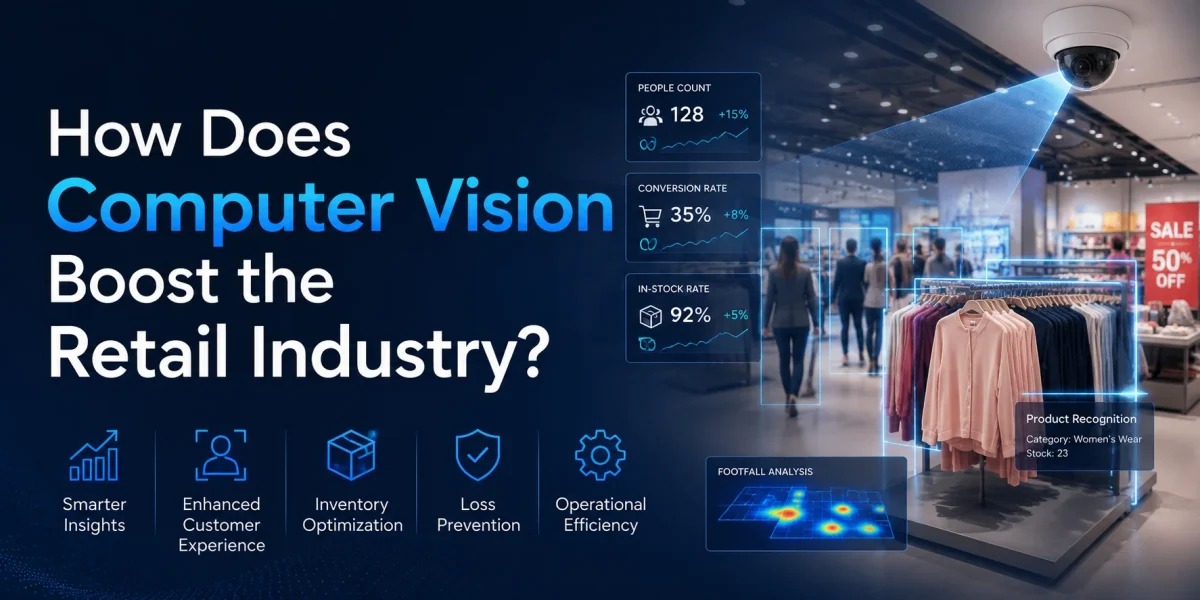
Computer vision in retail is the use of cameras and machine-learning models to interpret what is physically happening inside a store: which products are on the shelf, where they sit, how shoppers move, what ends up in a basket, and where loss occurs. Instead of relying on periodic manual audits and after-the-fact reports, vision systems convert ordinary camera feeds into a continuous, structured stream of operational data about the store floor.
For a retail COO or head of store operations, this is less about novelty and more about closing a long-standing visibility gap. Most physical retailers can describe their digital channel in granular detail but operate their stores on lagging indicators: weekly shelf audits, monthly shrink numbers, and gut feel about queues and traffic. Computer vision turns the physical store into a measurable, near-real-time system, which is why it has moved from pilot curiosities to budgeted operations programs.
This guide is written for operators, not researchers. It explains what retail computer vision actually is, the enabling technology and the edge-versus-cloud trade-offs, the use cases that earn their keep, a defensible ROI model, the privacy and biometric law you cannot ignore, and a phased roadmap to get from a single-store pilot to a fleet rollout without burning capital or trust.
Key Takeaways
Computer vision in retail works by capturing images or video from in-store cameras and running them through detection and recognition models that identify objects, products, people, and events. The output is not a picture; it is structured data — "shelf 14 is 40% empty," "three customers are queuing at lane 2," "this SKU is misplaced versus the planogram" — that flows into operational systems and dashboards.
Under the hood, a typical pipeline has a few stages. First, capture: fixed ceiling or shelf-edge cameras, sometimes supplemented by mobile capture from associates' devices. Second, detection: a model locates objects of interest and draws bounding boxes around them. Third, recognition and classification: the system identifies what each object is, mapping a package to a specific SKU by its shape, color, label, and brand marks. Fourth, reasoning and aggregation: counts, positions, and events are compared against expected states (a planogram, an inventory record, a threshold) to produce alerts and analytics.
The accuracy of all of this depends heavily on training data. A model that recognizes products on a clean test shelf can fail badly on a real shelf with glare, partial occlusion, shoppers' hands, and seasonal packaging changes. This is why retail-grade vision vendors emphasize models trained on hundreds of thousands of real shelf images across lighting conditions and store formats, rather than generic object detectors.
The choice between edge and cloud inference is one of the most consequential architecture decisions in a retail computer vision program, and it is rarely all-or-nothing. Edge inference runs the model on hardware inside the store — a small GPU or AI accelerator near the cameras. Cloud inference sends data to a central data center for processing.
Edge processing wins where latency, bandwidth, and privacy matter. A checkout-free store or a real-time queue alert cannot tolerate a round-trip to the cloud for every frame. Edge also reduces the volume of raw video leaving the premises, which is a meaningful privacy and cost advantage — streaming continuous high-resolution video from thousands of stores to the cloud is expensive and risky. Cloud wins for model training, cross-store analytics, long-term storage of derived data, and workloads too heavy for in-store hardware.
Most mature deployments are hybrid: inference at the edge for time-sensitive and privacy-sensitive tasks, with derived metadata (not raw video) sent to the cloud for fleet-wide analytics and continuous model improvement. Designing this split deliberately — and deciding what data ever leaves the store — is an architecture and data-platform problem as much as a vision problem. Retailers that have already invested in modern data platforms for AI-driven organizations tend to integrate vision data faster, because they already have the pipelines and governance to handle it.
The use cases that justify investment cluster into store-operations efficiency, loss reduction, and customer experience. The strongest near-term ROI is operational; the customer-experience cases tend to follow once the operational foundation is in place.
Shelf and planogram compliance is the workhorse use case. A vision system identifies every visible product, maps it to its position, counts facings, reads price labels, and compares the actual shelf against the approved planogram for that store. Deviations — wrong product in a slot, missing facings, incorrect pricing — are flagged and prioritized by commercial impact. Vendors in this space, such as Trax, report that automating planogram audits this way can cut manual inspection costs substantially while giving field teams near-instant feedback rather than a report days later.
The operational value is twofold: merchandising teams get reliable execution data across the fleet, and store associates spend less time auditing and more time selling and restocking. For consumer-goods brands paying for premium shelf placement, vision-verified compliance also turns a previously unverifiable promise into measurable execution.
Out-of-stock is one of the most expensive and invisible problems in retail. A shelf that looks "mostly full" can still be out of the specific SKU a shopper came for, and that lost sale rarely shows up in any report. Vision-based on-shelf availability monitoring detects gaps continuously and triggers replenishment before the shelf empties.
Industry deployments have shown on-shelf availability gains in the low single-digit percentages and meaningful reductions in out-of-stock incidents, which translate directly into recovered sales in covered categories. The key is closing the loop: a detection is only valuable if it becomes a task in an associate's hands within minutes. This is where computer vision starts to resemble the broader shift in which AI agents are quietly replacing traditional software workflows — the detection model is paired with task orchestration that routes, prioritizes, and follows up on the work automatically.
Loss prevention is a high-stakes use case with both strong upside and real legal risk. Vision systems can detect suspicious events at self-checkout (an unscanned item, a mismatch between scanned barcode and detected product), monitor high-shrink zones, and flag anomalies for human review. Done well, this reduces shrink without treating every shopper as a suspect.
The critical word is review. The most damaging deployments are the ones that let an algorithm trigger direct action against a person. Loss-prevention vision should surface signals to trained staff who exercise judgment, not auto-accuse. The legal and reputational consequences of getting this wrong are covered in the privacy section below, and they are severe.
Queue detection counts people waiting at checkout and triggers staffing actions — open another lane, call for support — before a line becomes a walkout. Store traffic analytics and heatmaps, derived from anonymized person detection, show how shoppers move through the store, which displays draw attention, and where dead zones form. This is the in-store equivalent of web analytics: it informs layout, staffing, and merchandising decisions with observed behavior rather than assumptions.
Checkout-free stores are the most visible application and the most misunderstood as an ROI case. Systems like Amazon's Just Walk Out use a dense array of cameras and sensors to track what each shopper takes and charge them automatically on exit. Amazon's own experience is instructive: the company removed the technology from its U.S. Amazon Fresh grocery stores in 2024 in favor of smart carts, while simultaneously expanding Just Walk Out into more than 375 third-party locations such as stadiums, airports, and universities, and reporting tens of millions of items sold across those venues in a single year.
The lesson for operators is that checkout-free shines in specific formats — small footprints, quick trips, captive venues, and extended unstaffed hours — rather than as a universal replacement for the checkout lane. It is a format decision, not a fleet-wide default.
Beyond operations, vision supports customer-engagement analytics: dwell time at displays, demographic-aggregate engagement (done without identifying individuals), and the effectiveness of in-store campaigns. Used responsibly and in aggregate, this connects the physical store to the same personalization discipline retailers apply online. For the digital-and-physical view of this, see how AI supports customer journey optimization and retail personalization across channels.
The ROI of computer vision in retail comes primarily from three sources: reduced shrink, improved on-shelf availability that recovers lost sales, and labor reallocated from manual auditing to higher-value work. Reported payback periods commonly land in the range of roughly 12 to 18 months when programs target these operational use cases rather than experimental ones.
The table below summarizes the primary use cases, the operational lever each pulls, and the kind of business outcome to expect. Treat the figures as directional industry ranges, not guarantees — actual results depend on baseline performance, store format, and how well the alert-to-action loop is closed.
| Use case | Operational lever | Typical business outcome | Maturity / risk |
|---|---|---|---|
| Shelf & planogram compliance | Automated audits, faster correction | Lower audit labor, better merchandising execution, recovered category sales | High maturity, low risk |
| On-shelf availability / out-of-stock | Real-time gap detection, faster replenishment | Fewer out-of-stocks, low single-digit availability gains, recovered sales | High maturity, low risk |
| Loss prevention / shrink | Self-checkout verification, anomaly flagging for review | Shrink reduction in the mid-double-digit percent range in strong deployments | Medium maturity, high legal/privacy risk |
| Queue management | Real-time queue alerts, dynamic staffing | Shorter waits, fewer walkouts, better labor allocation | High maturity, low risk |
| Store traffic & heatmaps | Anonymized flow analytics | Better layout, staffing, and display ROI decisions | High maturity, low-medium risk |
| Checkout-free / autonomous | Automatic item tracking and payment | Unstaffed hours, faster trips; format-dependent, not universal | Emerging, high capex, format-specific |
| Customer engagement analytics | Dwell time, aggregate engagement | Display and campaign optimization | Medium maturity, privacy-sensitive |
The retail computer vision market is growing quickly — industry analysts project the broader market expanding at a strong double-digit CAGR through the end of the decade — but market size is not your business case. Your case is the specific shrink dollars, lost-sale recovery, and labor hours your stores can document. Build the model bottom-up from a pilot, not top-down from a market forecast.
Privacy and biometric law are the single biggest constraint on retail computer vision, and treating them as an afterthought is how programs get killed. The most important principle is the distinction between anonymous analytics (counting people, measuring queues, detecting objects) and biometric identification (recognizing specific individuals by their faces). The first is broadly defensible with good governance; the second is heavily regulated and, in retail loss-prevention contexts, has produced landmark enforcement.
In December 2023, the U.S. Federal Trade Commission banned Rite Aid from using facial recognition technology for five years after finding the retailer deployed it without reasonable safeguards. The system generated false positives that disproportionately affected people of color, and employees acting on those false alerts followed, searched, and publicly accused customers — including, in one case, an 11-year-old girl. The action established that careless facial recognition in retail can be an unfair practice under the FTC Act, independent of any single state law.
On top of federal scrutiny, state biometric laws impose strict requirements. Illinois's Biometric Information Privacy Act (BIPA) requires informed consent before collecting biometric identifiers and has produced significant litigation and settlements. Texas and Washington have their own biometric statutes, and comprehensive state privacy laws increasingly treat biometric data as sensitive. In the EU and UK, biometric data is a special category under GDPR with a high bar for lawful processing.
Practical rule of thumb: if your use case requires identifying who a specific person is, assume it triggers biometric law and treat it as a governance project before a technology project. If your use case only requires counting, measuring, or detecting objects, design it to never store identifiable imagery in the first place.
Responsible deployment practices include: clear signage and disclosure; collecting only what the use case requires; processing at the edge and discarding raw imagery wherever possible; aggregating and anonymizing analytics; testing models for bias across demographic groups; keeping a human in the loop for any consequential decision; and documenting governance, retention, and access controls. These are not just compliance checkboxes — they are what keeps a program in production and protects the brand.
A successful rollout is deliberately phased. The failure mode is buying fleet-wide hardware for an unproven use case; the success pattern is proving narrow value, then scaling what works.
Start by choosing one or two operational use cases with clear, measurable outcomes — on-shelf availability and planogram compliance are the usual first picks because they are low-risk and directly tied to revenue and labor. Define the baseline (current out-of-stock rate, audit hours, shrink rate) and the target. If you cannot state the metric you expect to move, you are not ready to buy hardware.
Run a pilot in three to ten stores chosen to represent your real formats and conditions, not your best stores. Validate model accuracy on your actual shelves, your lighting, and your SKUs. Critically, test the alert-to-action loop: does an out-of-stock alert reach an associate, and do they act on it within minutes? Many pilots prove the model works and fail because the workflow doesn't.
Measure the pilot against the baseline. Confirm the payback math. In parallel, settle the architecture decisions you will scale: edge versus cloud split, what data leaves the store, integration with inventory, replenishment, and workforce systems, and the data governance and privacy controls. This is the phase to involve security, legal, and data teams before, not after, expansion.
Scale with standardized camera placement, edge hardware, and integration patterns so each new store is a repeatable deployment rather than a custom project. Establish a model-monitoring and retraining cadence — packaging changes, seasonal resets, and new SKUs all degrade accuracy over time. Track fleet-level metrics and feed exceptions back into model improvement.
Once the camera and data infrastructure is in place, additional use cases — queue management, traffic analytics, additional loss-prevention signals — can often run on the same hardware, improving the economics of the original investment. This is why the first deployment should be architected as a platform, not a point solution.
Most retailers do not build retail computer vision entirely in-house. The realistic options are buying a packaged vendor solution for a specific use case (shelf compliance, checkout-free), building custom models on cloud vision and MLOps tooling, or partnering with an AI engineering team to integrate and operate the system against the retailer's own data and workflows.
The right answer depends on how differentiated the use case is. Commodity use cases with strong vendors — planogram compliance, basic loss prevention — often favor buying. Use cases tied to a retailer's specific formats, data, and workflows, or that must integrate deeply with proprietary systems, favor a custom or hybrid build. The hard parts are rarely the off-the-shelf model; they are training on the retailer's real shelves, closing the alert-to-action loop, hardening the edge architecture, and standing up privacy governance.
This is where an experienced engineering partner earns its place. As an Enterprise AI and AI development partner, Mind Supernova works with retail and operations teams to design the edge-versus-cloud architecture, integrate vision outputs into inventory and workforce systems, and build the data and governance foundation that keeps a program compliant and in production. The goal is not a flashy demo; it is a system store associates trust and use every shift.
The recurring failure patterns in retail computer vision are predictable, which means they are avoidable. The most common are:
For operations leaders evaluating retail computer vision, a few recommendations hold across most contexts:
Computer vision in retail is the use of in-store cameras and machine-learning models to interpret physical store activity — shelf stock, product placement, shopper flow, queues, and loss — and convert it into structured operational data. It replaces periodic manual audits with continuous, near-real-time visibility into store operations.
The most defensible ROI today comes from shelf and planogram compliance, real-time on-shelf availability and out-of-stock detection, queue management, and loss prevention. Checkout-free stores and customer-engagement analytics add value but are more format-specific or privacy-sensitive, so they typically follow once the operational foundation is in place.
Most production deployments are hybrid. Edge inference handles latency-sensitive and privacy-sensitive tasks on-site and reduces the volume of raw video leaving the store; the cloud handles model training, cross-store analytics, and heavier workloads. The deliberate choice of what data ever leaves the store is both an architecture and a privacy decision.
It depends heavily on jurisdiction and use, and it carries serious risk. The FTC banned Rite Aid from using facial recognition for five years in 2023 after unsafe deployment, and laws like Illinois BIPA require consent before collecting biometric identifiers. Anonymous analytics that count or measure without identifying individuals face a far lower legal bar than identification-grade facial recognition.
ROI comes mainly from reduced shrink, recovered sales from better on-shelf availability, and labor shifted away from manual auditing. Programs focused on these operational use cases commonly target payback in roughly 12 to 18 months, though actual results depend on baseline performance, store format, and how effectively detections are turned into action.
Not entirely. Amazon removed Just Walk Out from its U.S. Amazon Fresh grocery stores in 2024 in favor of smart carts, but expanded the technology into more than 375 third-party locations such as stadiums, airports, and universities. The takeaway is that checkout-free works best in small, quick-trip, or captive-venue formats rather than as a universal replacement for checkout lanes.
A focused pilot in a handful of stores typically takes a few months to validate model accuracy and the alert-to-action workflow. Scaling to a full fleet then depends on standardizing hardware, integrations, and governance — which is why architecting the first deployment as a repeatable platform, rather than a custom project, materially shortens the path to fleet-wide rollout.
Computer vision in retail has crossed from experiment to operations tool, but the winners are not the retailers chasing the most futuristic demo. They are the ones who pick a measurable operational problem — empty shelves, audit labor, shrink, queues — prove the value in a few real stores, close the loop between detection and action, and build privacy governance in from the start. The technology that sees the store is mature enough; the discipline to operationalize it responsibly is what separates a budgeted, scaling program from an abandoned pilot.
If your team is weighing how to architect the edge-versus-cloud split, integrate vision data into inventory and workforce systems, or stand up the governance that keeps a deployment compliant, those are engineering and data problems with known patterns. Mind Supernova partners with retail and operations teams as an enterprise AI engineering partner to turn a promising pilot into a dependable, store-level system — and to make sure it earns its place in the operating model rather than the innovation lab.
How clinical operations AI transforms care delivery: ambient documentation, scheduling, patient flow, prior au...
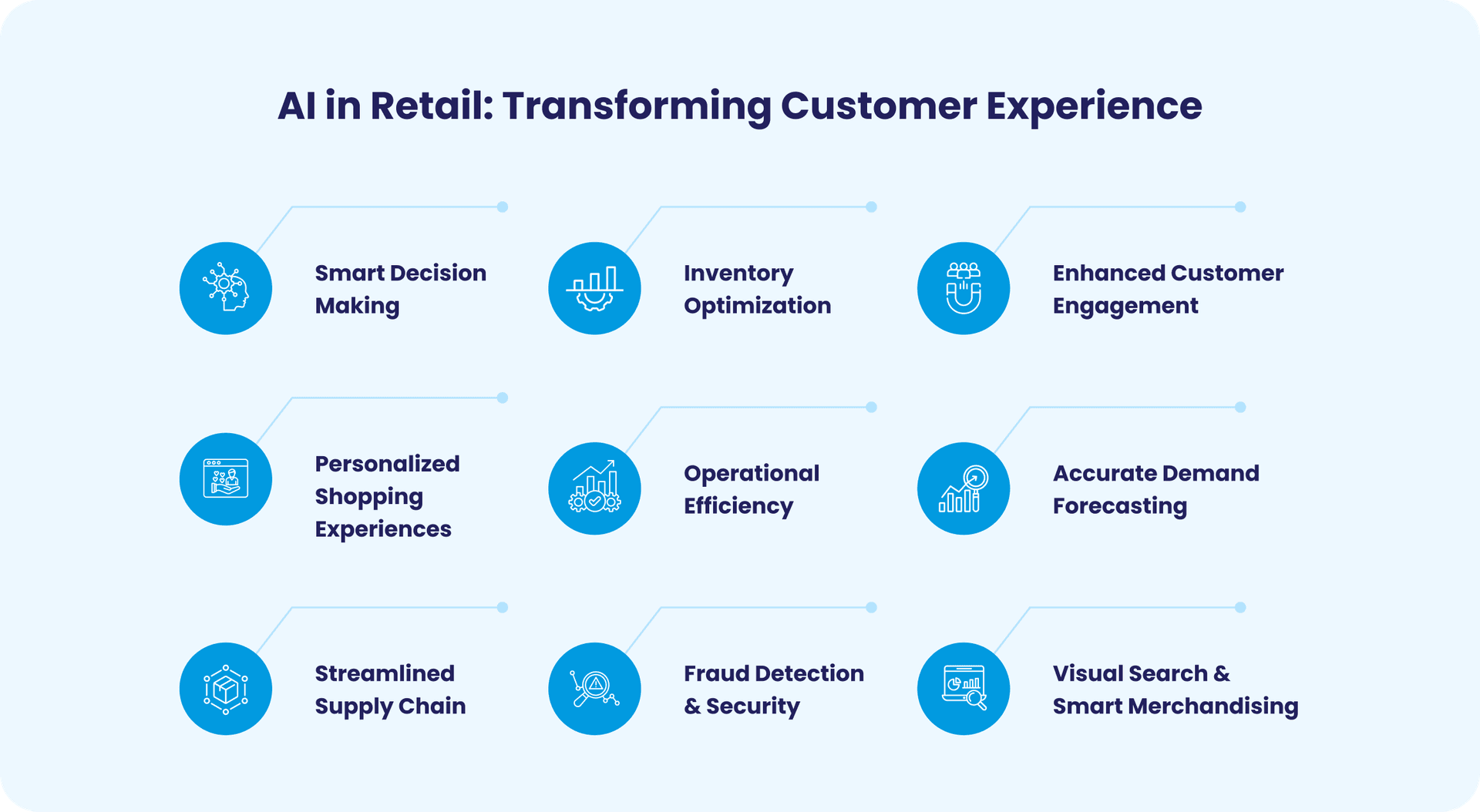
How retailers use AI to personalize the end-to-end customer journey at scale: the enabling stack, use cases, m...
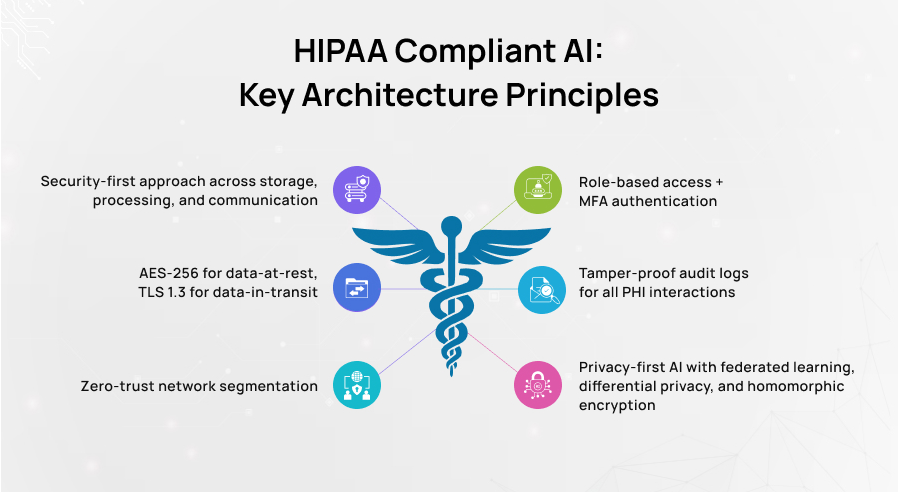
A practical engineering and compliance guide to building HIPAA-compliant AI: PHI rules, BAAs for LLM vendors,...